Logo
Submit a request
Sign in
  1. BasicOps Help Center
  2. Account Settings
  3. Managing your account

Articles in this section

  • Return in Discussions/Chats and Channels
  • Preferences Overview
  • Settings Overview
  • How to Change the Font Size in BasicOps
  • Editing your name
  • Changing your profile photo
  • Changing your email address
  • Resetting your password
  • Changing your notifications
  • Logging out

Logging out

Avatar
Support Team
Updated August 22, 2024 09:14
Follow

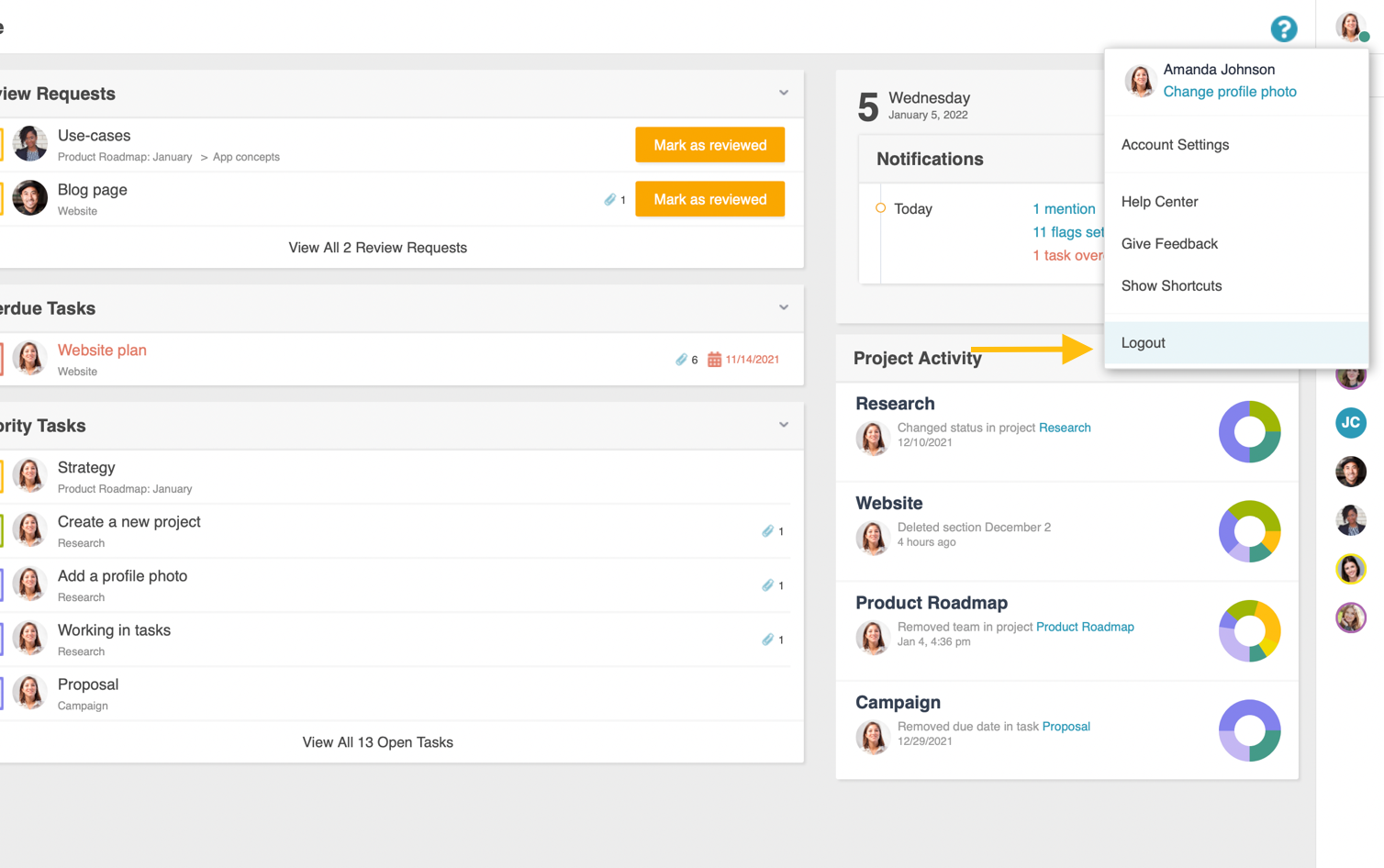
Logging out of BasicOps

  1. Click your profile photo at the top of the right sidebar.
  2. Click Logout.

Logout.png

Note: You will be automatically logged out of all prior accounts.

  • Facebook
  • Twitter
  • LinkedIn
Was this article helpful?
0 out of 0 found this helpful
Have more questions? Submit a request
Return to top

Related articles

  • Chat and Channels in BasicOps
  • Settings Overview

Please sign in to leave a comment.

BasicOps Help Center